
Water Freedom SystemAffiliate Centre

Landing Pages

2 ready-made presell pages for paid traffic. Pick one, download it for WordPress or any web host, put your link on the buttons and send your ads to it.

Make your HopLink first. Save it once on the Promotion Links page, and we will put it into the HopLink box in step 3 on this page for you.

Make my link
Why send paid traffic to your own page first

If you wish to drive paid traffic (e.g. Facebook Ads, Google Ads, YouTube Ads), then it’s essential that you send visitors to a page on YOUR website and not directly from an ad to our pages.

There are several reasons for this, one big reason is that Facebook, Google, etc, don’t like multiple affiliates promoting the same site directly. By sending to your own website, it avoids this issue.

So we’ve made two ready-to-use presell pages for the Water Freedom System, and each one comes in two forms. Download WordPress gives you a template to import into a WordPress site with our free Commission Kickstart plugin. Download HTML gives you a plain web page (index.html, an images folder and a README) that works on any web host. Either way, all you do is put your own ClickBank link on the buttons and drive traffic to the page.

Before you post: ad networks check these pages closely, so keep the wording as it is and add no made-up reviews.
Keep it honest: quote the “up to 60 gallons a day” figure and the military story only as what the presentation says. Never promise an amount of water, never say it works in the desert or in any climate, that it is free to run or that it ends water bills, never say the water is pure or safe to drink, and never add countdowns or fake deadlines.
  1. 1

    Look through the two templates below and pick the one that suits your traffic. The article presell warms up colder traffic with a magazine-style article about the water in the air around every home, and the guide that shows you how to build a unit that collects it. The home water checklist is a short interactive page where visitors tick seven lines about their home and see how ready their water supply is. Click Preview to see the page live.

  2. 2

    Download your template: Download WordPress if your site runs on WordPress, or Download HTML for any other web host. For the WordPress form, first visit Commission Kickstart to download and install the latest version of the free plugin. (The WordPress form of the checklist shows the seven lines as a plain list, because the plugin can’t hold the tick boxes.)

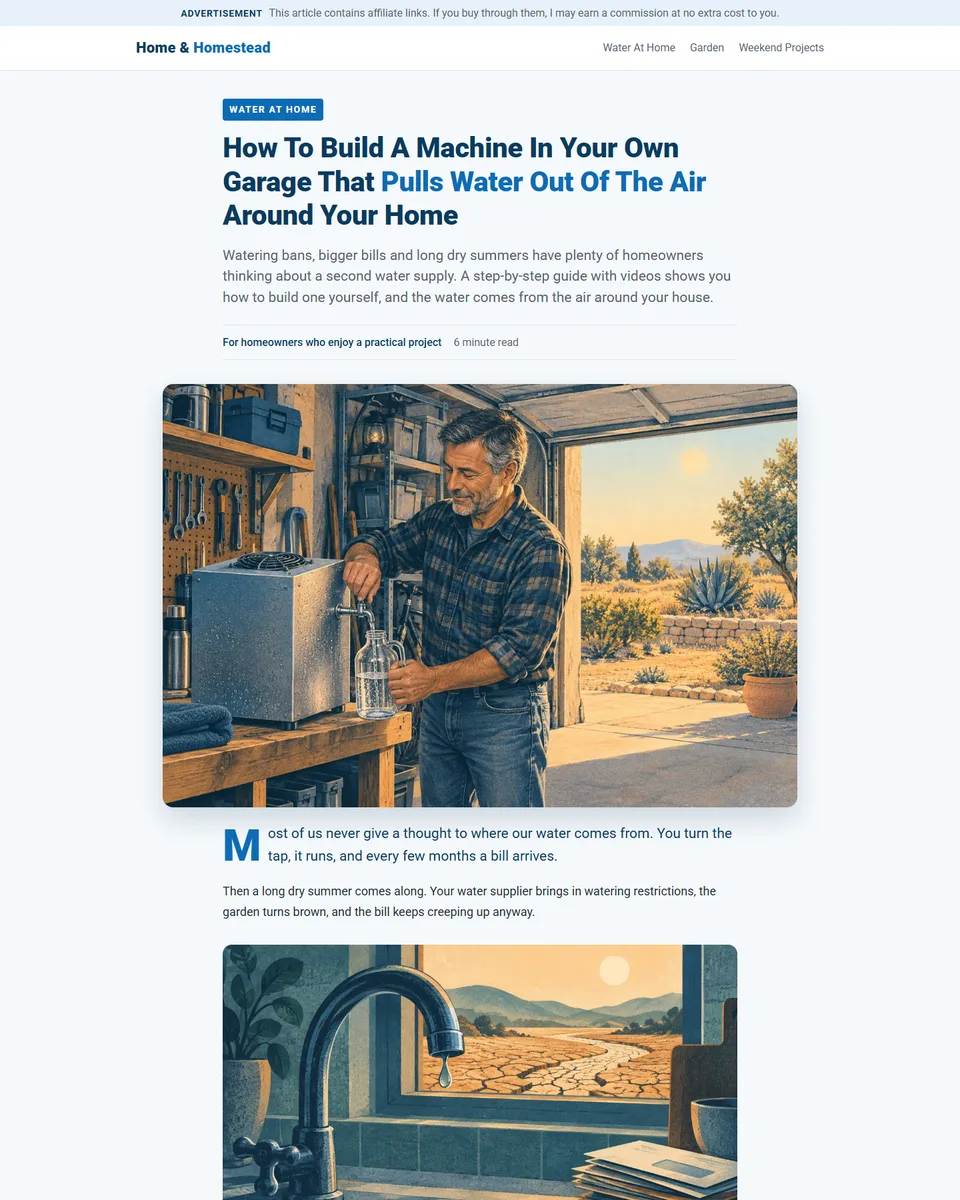
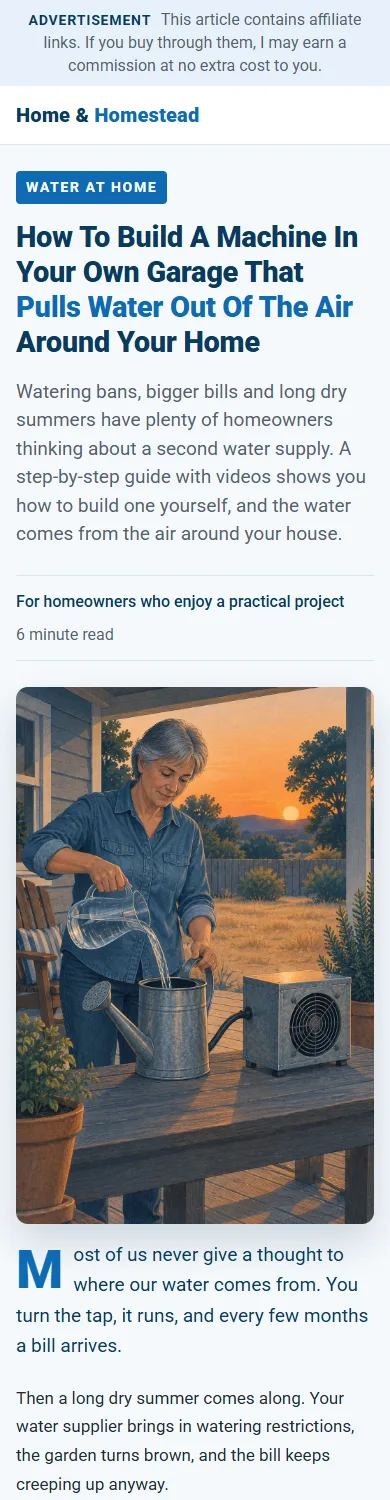
  3. Article Presell Page: desktop view Article Presell Page: phone view

    Article Presell Page

    A story-led article in magazine style: the water in the air around every home, the three places you’ve already seen it turn into drops, the guide and videos that show you how to build a unit that collects it, what comes with it and the 60-day guarantee. Best for colder traffic from Facebook, YouTube and blogs.

    Download WordPress Needs the free Commission Kickstart plugin.
    Download HTML Works on any web host. README inside.
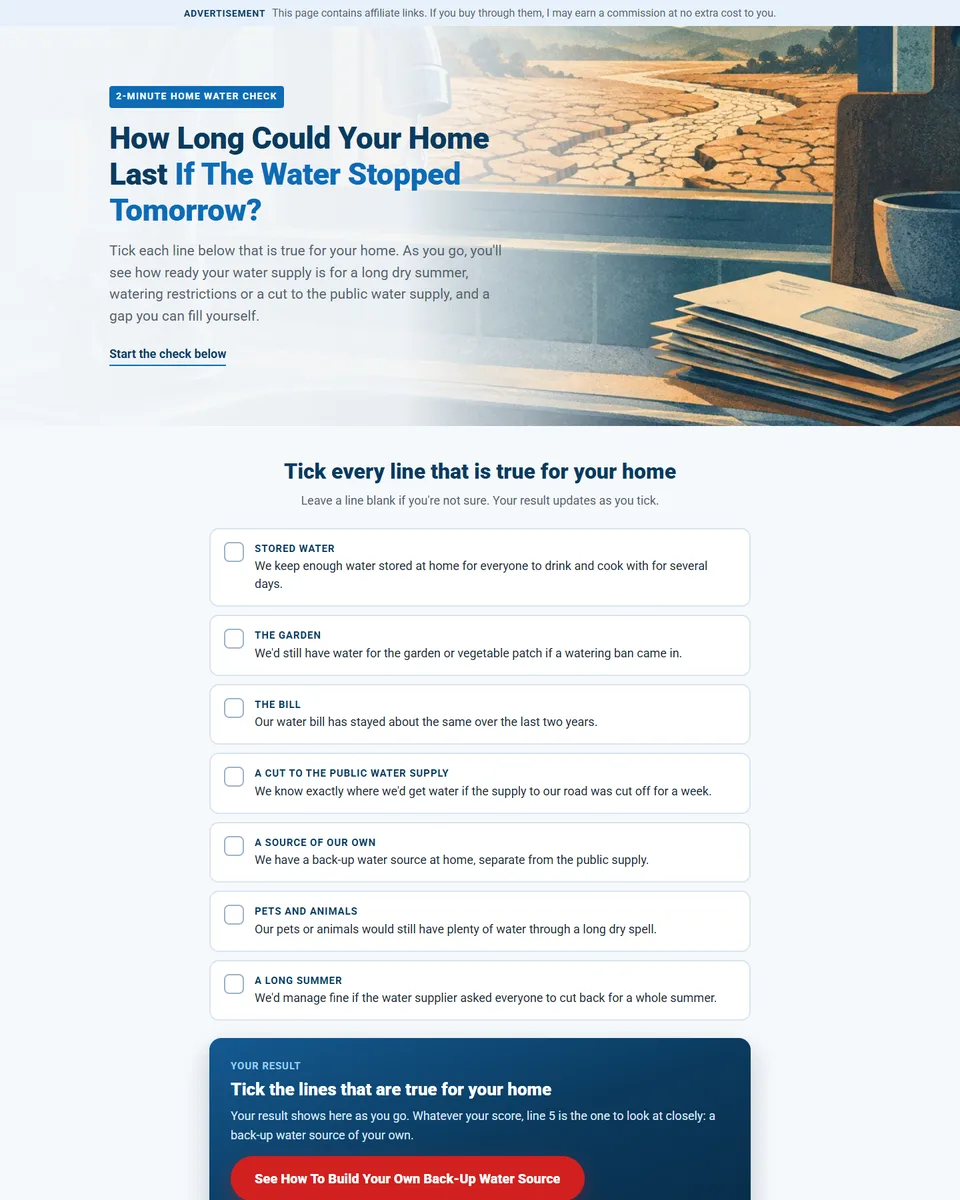
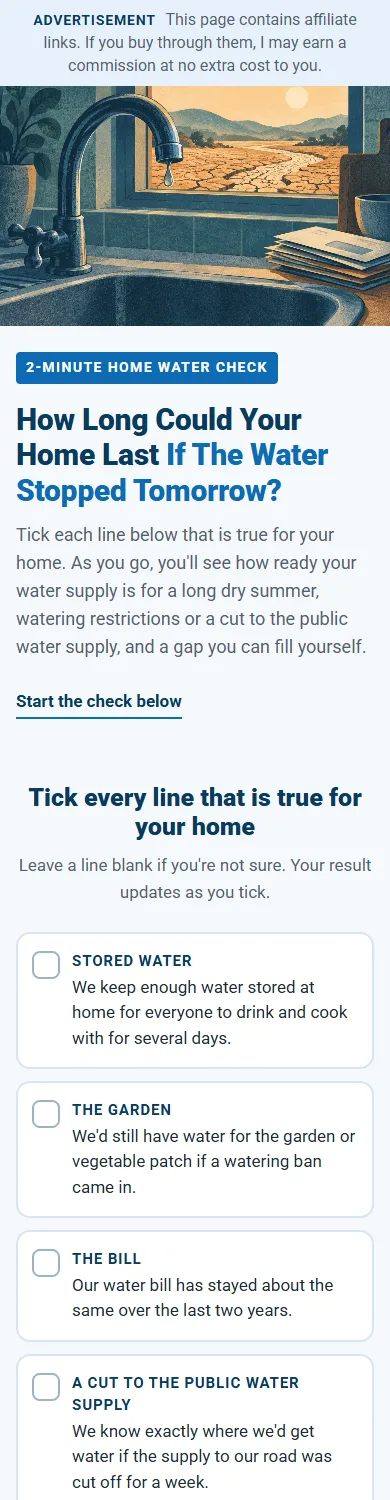
    Home Water Checklist Presell Page: desktop view Home Water Checklist Presell Page: phone view

    Home Water Checklist Presell Page

    A short interactive page: “How long could your home last if the water stopped tomorrow?” Visitors tick seven lines about their home, see their result straight away, and are shown the one gap they can fill themselves. Then the guide, what comes with it and one clear button to the presentation. Best for warmer traffic, email and social posts.

    Download WordPress Needs the free Commission Kickstart plugin.
    Download HTML Works on any web host. README inside.
  4. 3

    Put in your own ClickBank link. Every button links to the placeholder AFFILIATE-LINK; replace it with your HopLink, https://hop.clickbank.net/?affiliate=YOURIDHERE&vendor=waterfs&pid=30 (YOURIDHERE is your ClickBank nickname, or make the link on the Promotion Links page). WordPress: set up a new page, click ‘enable’ on Commission Kickstart, import the zip, and insert your own affiliate link into each ‘button link’. HTML: unzip it, open index.html in a text editor, use Find and Replace to change every AFFILIATE-LINK into your HopLink, then upload index.html and its images folder to your website. The README.txt inside explains each step, and how to ask an AI assistant to change the page for you.

  5. 4

    Start running traffic to your new landing page.

  6. 5

    Start collecting your commissions.